Parallels
Full Windows 11 ARM inside macOS.
Difficulty: MediumCost: $21.00Estimate
Survival · 2018
Best in a Windows 11 ARM virtual machine via Parallels.
Overall rating: Not enough votes yet
Best in a Windows 11 ARM virtual machine via Parallels.
Should run in a Windows 11 ARM virtual machine (Parallels). This is an estimate — not a verified report. Demanding 3D titles may need lower settings.
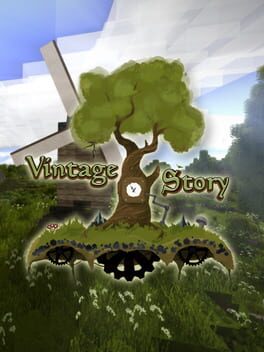
Vintage Story is an uncompromising wilderness survival sandbox that emphasizes realism and historical progression. Unlike many block-based games, it shifts its focus toward complex crafting mechanics—such as knapping flint, pit-firing pottery, and casting metal in clay molds—to simulate the technological evolution of human civilization. The game features a deep climate system, realistic soil nutrients, and a distinct Lovecraftian undertone hidden beneath its serene, voxel-based vistas.
The tone is atmospheric and often punishing, demanding that players respect the changing seasons and the scarcity of resources. Its procedural world generation is renowned for its organic landscapes, ranging from towering mountain ranges to dense underground cavern systems, all of which serve as a backdrop for a survival experience that values patience and meticulous preparation over arcade-style action.
Vintage Story runs excellently via Rosetta 2 with a dedicated macOS client, though it requires a manual .NET runtime installation.
How Vintage Story runs on your Mac, from our performance model and player reports.
See exactly how Vintage Story will run on your Mac
Pick your chip and RAM for a personalised estimate.
Vintage Story runs excellently via Rosetta 2 with a dedicated macOS client, though it requires a manual .NET runtime installation.
Here are all the options available, ranked by what we recommend first.
Full Windows 11 ARM inside macOS.
How each supported method stacks up on setup effort, time and runtime overhead.
Live prices compared across trusted PC key sellers — updates every few hours.
Loading per-platform notes…
Idiot-proof walkthroughs for every method.
Using Parallels to play Vintage Story means running a full copy of Windows 11 ARM inside macOS. This is the most "it just works" approach for games that don't behave under CrossOver, and DirectX 11 is hardware-accelerated. You'll need a Windows license and roughly 80 GB of disk space.
For most Mac players the best way to play Vintage Story on Mac is Parallels. Full Windows 11 ARM inside macOS.
| Method | Quality | Difficulty | Cost |
|---|---|---|---|
| ParallelsPick | Good | Medium | $99/year + Windows licence |
Share what worked for you running Vintage Story on Mac.
Loading comments…