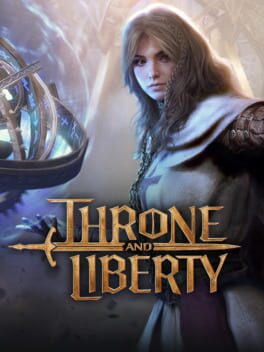
How to play Throne and Liberty on Mac
MMO · 2024
Not officially supported, and we have no verified way to run it on a Mac.
Overall rating: Not enough votes yet
Not officially supported, and we have no verified way to run it on a Mac.
Throne and Liberty
Throne and Liberty is a massive scale open-world MMORPG set in the vast world of Solisium. The game features a unique class-less system where your abilities are determined by the two weapons you choose to equip, allowing for high customization in both PvE and large-scale PvP combat. The tone is epic and high-fantasy, characterized by dynamic environments where weather and time of day significantly impact gameplay mechanics.
What truly sets the title apart is its fluid movement system, where players can transform into various land, sea, and air creatures to traverse the landscape instead of relying on traditional mounts. The core loop centers around world bosses, guild-based territorial control, and elaborate dungeon runs, all rendered with impressive visual fidelity that emphasizes verticality and grand scale.
Due to aggressive anti-cheat requirements, Throne and Liberty cannot run locally on macOS; GeForce NOW is the definitive and only reliable way to play.
What the world thinks
Due to aggressive anti-cheat requirements, Throne and Liberty cannot run locally on macOS; GeForce NOW is the definitive and only reliable way to play.
Want to play Throne and Liberty on Mac?
Throne and Liberty is currently unplayable due to developer anti-cheat restrictions. Enter your email below, and we'll instantly ping you the exact split-second a compatibility patch or CrossOver update changes this status.
Comments
Share what worked for you running Throne and Liberty on Mac.
Loading comments…