Emulation
Console-only game — playable on Mac through an emulator. BYO game files.
Difficulty: HardCost: N/AGood
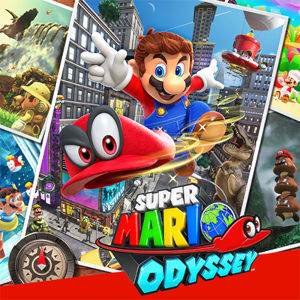
Platformer · 2017
Best played through Emulation on Apple Silicon.
Overall rating: Runs well with the right setup · 71% of 164 players say it runs well
Best played through Emulation on Apple Silicon.
Emulation is a viable way to play Super Mario Odyssey on Mac.
| Method | Quality | Difficulty | Cost | |
|---|---|---|---|---|
| EmulationPick | Good | Medium | — |
Embark on a globetrotting adventure to rescue Princess Peach from Bowser's forced marriage plans. Utilize Mario's cap-throwing abilities to take control of enemies and objects, adding a unique twist to exploration and combat.
Playable via Switch emulation on Apple Silicon using community Ryujinx forks (the original Ryujinx project ceased public development in 2024 after a settlement; community-maintained forks remain). Setup is involved and you must legally own the game and dump your own files — we do not link to or describe where to obtain ROMs or keys. Performance varies by Mac chip and emulator build; expect a tuning curve. Legal status of emulation varies by region; proceed at your own risk.
How Super Mario Odyssey runs on your Mac, from our performance model and player reports.
See exactly how Super Mario Odyssey will run on your Mac
Pick your chip and RAM for a personalised estimate.
Playable via Switch emulation on Apple Silicon using community Ryujinx forks (the original Ryujinx project ceased public development in 2024 after a settlement; community-maintained forks remain). Setup is involved and you must legally own the game and dump your own files — we do not link to or describe where to obtain ROMs or keys. Performance varies by Mac chip and emulator build; expect a tuning curve. Legal status of emulation varies by region; proceed at your own risk.
Here are all the options available, ranked by what we recommend first.
Console-only game — playable on Mac through an emulator. BYO game files.
Live prices compared across trusted PC key sellers — updates every few hours.
Loading per-platform notes…
Idiot-proof walkthroughs for every method.
Nintendo Switch · Easiest Switch emulator on Apple Silicon — Ryujinx codebase, community-maintained.
Super Mario Odyssey never released on PC, so emulation is the only Mac-friendly path. On Apple Silicon this is more workable than it was two years ago — most major emulators have native ARM builds and respectable compatibility. You must legally own the game and dump your own files from hardware you own; we don't link to or describe how to obtain ROMs, BIOSes, or keys, and emulator/file legality varies by region.
Step 1 — Install Ryubing
Step 2 — Provide system files (yours, from your own Switch)
prod.keys (and title.keys if present) plus a Switch firmware dump.prod.keys/title.keys into the system folder.Step 3 — Add and launch Super Mario Odyssey
Super Mario Odyssey.nsp or Super Mario Odyssey.xci in a folder of your choice.Step 4 — Tuning for Apple Silicon
For most Mac players the best way to play Super Mario Odyssey on Mac is Emulation. Console-only game — playable on Mac through an emulator. BYO game files.
| Method | Quality | Difficulty | Cost |
|---|---|---|---|
| EmulationPick | Good | Advanced | Free emulator, bring your own game files |
Share what worked for you running Super Mario Odyssey on Mac.
Loading comments…