Xbox Cloud Gaming
Needs 25+ Mbps internet, wired ideal.
Difficulty: EasyCost: $16.99/mo (Xbox Game Pass)Good
Best played by streaming from the cloud via Xbox Cloud Gaming.
Overall rating: Not enough votes yet
Best played by streaming from the cloud via Xbox Cloud Gaming.
Stream It Takes Two - Digital Version via Game Pass Ultimate from any browser — no install required.
| Method | Quality | Difficulty | Cost | |
|---|---|---|---|---|
| Xbox Cloud GamingPick | Good | Easy | $16.99 /mo | Get it ↗ |
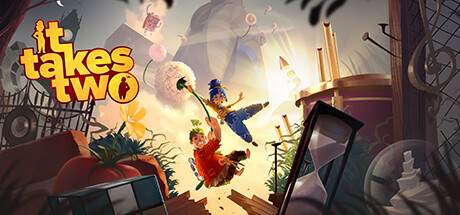
It Takes Two is a purely co-operative action-adventure platformer that follows Cody and May, a clashing couple transformed into dolls by a magic spell. Trapped in a fantastical world created from their own estranged relationship, they must work together under the guidance of a quirky book of love, Dr. Hakim, to return to their bodies and repair their bond.
The gameplay is exceptionally diverse, constantly shifting genres from third-person shooting and flight simulation to dungeon crawling and puzzle-platforming. Each level introduces unique, character-specific abilities that require perfect synchronization between players. Its vibrant art style, heartfelt narrative, and inventive level design make it one of the most celebrated co-op experiences in modern gaming.
This is a duplicate entry. Please refer to the main 'It Takes Two' page for compatibility and streaming information.
How It Takes Two - Digital Version runs on your Mac, from our performance model and player reports.
See exactly how It Takes Two - Digital Version will run on your Mac
Pick your chip and RAM for a personalised estimate.
This is a duplicate entry. Please refer to the main 'It Takes Two' page for compatibility and streaming information.
Here are all the options available, ranked by what we recommend first.
Needs 25+ Mbps internet, wired ideal.
How each supported method stacks up on setup effort, time and runtime overhead.
Live prices compared across trusted PC key sellers — updates every few hours.
Loading per-platform notes…
Idiot-proof walkthroughs for every method.
Streaming It Takes Two - Digital Version through Xbox Cloud Gaming is the fastest way to start playing on a Mac — there's nothing to install, no Windows VM, no compatibility layer. The game runs on a remote GPU and your Mac just receives the video, which means even a base M1 MacBook Air can play the most demanding AAA titles at high settings. The tradeoff is that you need a stable internet connection (ideally wired or 5GHz Wi-Fi with 25+ Mbps down) and a subscription.
For most Mac players the best way to play It Takes Two - Digital Version is streaming it through Xbox Cloud Gaming. Needs 25+ Mbps internet, wired ideal.
| Method | Quality | Difficulty | Cost |
|---|---|---|---|
| Xbox Cloud GamingPick | Good | Easy | Game Pass Ultimate subscription |
Share what worked for you running It Takes Two - Digital Version on Mac.
Loading comments…