Parallels
Full Windows 11 ARM inside macOS.
Difficulty: EasyCost: $16.99/mo (Xbox Game Pass Ultimate)Estimate
Compatibility under review
Some of the Mac compatibility details for this game are internally inconsistent and are being re-verified. Treat the verdict below as provisional.
Best in a Windows 11 ARM virtual machine via Parallels.
Overall rating: Not enough votes yet
Best in a Windows 11 ARM virtual machine via Parallels.
Should run in a Windows 11 ARM virtual machine (Parallels). This is an estimate — not a verified report. Demanding 3D titles may need lower settings.
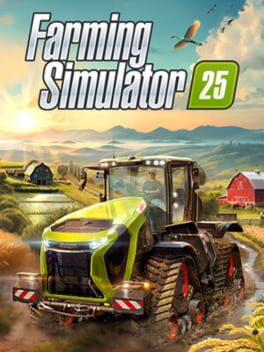
Farming Simulator 25 expands the premiere agricultural simulation franchise by introducing diverse new environments, including lush East Asian landscapes, North American prairies, and Central European fields. Players manage their own agricultural empire by planting crops, tending to livestock, and mastering over 400 authentic machines from real-world brands like Case IH, Fendt, and John Deere. The game emphasizes a meditative yet complex loop of seasonal planning, resource management, and expansion, now featuring new crops like rice and enhanced weather effects.
Farming Simulator 25 does not have a native Mac port; cloud streaming via Xbox or GeForce NOW is currently the only stable way to play.
How Farming Simulator 25 (PC) runs on your Mac, from our performance model and player reports.
See exactly how Farming Simulator 25 (PC) will run on your Mac
Pick your chip and RAM for a personalised estimate.
Farming Simulator 25 does not have a native Mac port; cloud streaming via Xbox or GeForce NOW is currently the only stable way to play.
Here are all the options available, ranked by what we recommend first.
Full Windows 11 ARM inside macOS.
How each supported method stacks up on setup effort, time and runtime overhead.
Live prices compared across trusted PC key sellers — updates every few hours.
Loading per-platform notes…
Idiot-proof walkthroughs for every method.
Using Parallels to play Farming Simulator 25 (PC) means running a full copy of Windows 11 ARM inside macOS. This is the most "it just works" approach for games that don't behave under CrossOver, and DirectX 11 is hardware-accelerated. You'll need a Windows license and roughly 80 GB of disk space.
For most Mac players the best way to play Farming Simulator 25 (PC) on Mac is Parallels. Full Windows 11 ARM inside macOS.
| Method | Quality | Difficulty | Cost |
|---|---|---|---|
| ParallelsPick | Good | Medium | $99/year + Windows licence |
Share what worked for you running Farming Simulator 25 (PC) on Mac.
Loading comments…