Native
Runs directly on Apple Silicon — no extra software.
Difficulty: EasyCost: Game price onlyExcellent
Runs through Rosetta 2 from the Intel Mac build.
Overall rating: Runs great on Mac · 100% of 1 players say it runs well
Runs through Rosetta 2 from the Intel Mac build.
Basement has a native Apple Silicon build — full Metal acceleration, best battery life, zero faff.
| Method | Quality | Difficulty | Cost | |
|---|---|---|---|---|
| NativePick | Excellent | Easy | Game price only |
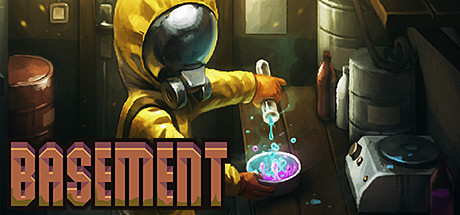
In Basement, you manage a group of survivors in a post-apocalyptic world, blending resource management with turn-based combat. Crafting items and exploring dangerous locations are key to your group's survival against mutated threats.
The Mac build is Intel-only (x86_64) and runs on Apple Silicon through Rosetta 2 translation — it's a Mac app, but not a true arm64 native one. Expect a ~10–15% performance tax versus a real native port.
How Basement runs on your Mac, from our performance model and player reports.
See exactly how Basement will run on your Mac
Pick your chip and RAM for a personalised estimate.
The Mac build is Intel-only (x86_64) and runs on Apple Silicon through Rosetta 2 translation — it's a Mac app, but not a true arm64 native one. Expect a ~10–15% performance tax versus a real native port.
Here are all the options available, ranked by what we recommend first.
Runs directly on Apple Silicon — no extra software.
How each supported method stacks up on setup effort, time and runtime overhead.
Live prices compared across trusted PC key sellers — updates every few hours.
Loading per-platform notes…
Idiot-proof walkthroughs for every method.
Basement has a native Apple Silicon build, which is the gold standard for playing on a Mac. You get full Metal acceleration, best battery life, and no compatibility weirdness. Just buy it from the Mac App Store or Steam for Mac and play.
The best way to play Basement on your Mac is the Intel Mac build running through Rosetta 2. Runs directly on Apple Silicon — no extra software.
| Method | Quality | Difficulty | Cost |
|---|---|---|---|
| NativePick | Excellent | Easy | Game price only |
Share what worked for you running Basement on Mac.
Loading comments…