AI mods have gone from novelty to a proper modding scene. Survivors in Project Zomboid that remember you, RimWorld colonists who comment on their own bad day, Skyrim guards you can talk to with your voice. Most were built on Windows PCs, so which ones run on a Mac?
The short answer is that it depends far more on the game than on the mod. If the base game runs on your Mac as a Mac app, a mod that only adds scripts or C# code usually comes along for free. If the mod needs a separate Windows helper program, or the game itself runs through CrossOver, you are in less tested territory and should expect some tinkering.
Below I go through the games where AI mods are most active, how each game runs on a Mac according to our database, and what we know about the mods themselves. Where nobody has confirmed a mod on macOS, I say so.
Two kinds of "AI mod"
It helps to split these into two groups. The first is classic game AI: smarter behaviour trees, faction simulation, NPCs that plan and react. These run entirely inside the game and need nothing extra. The second is generative AI: mods that send what is happening in your game to a large language model and get back dialogue, decisions or a whole personality.
Generative mods need a model to talk to. That model either lives in the cloud (you paste an API key from a provider such as Google or OpenAI, or route through a service like OpenRouter) or runs locally on your own machine through a tool such as Ollama or koboldcpp. Cloud models are easier and work on any Mac, but your prompts leave your computer and heavy use can cost money. Local models are private and free to run, but they compete with the game for memory and GPU time.
Apple Silicon is good at local models because the GPU can use the whole pool of unified memory. The catch is that the game wants that same pool. On a 16GB Mac, a small model plus a light game like RimWorld is comfortable. A large model plus Skyrim with a texture pack is not. Save your machine in My Mac and check each game's page before adding a model on top.
Project Zomboid
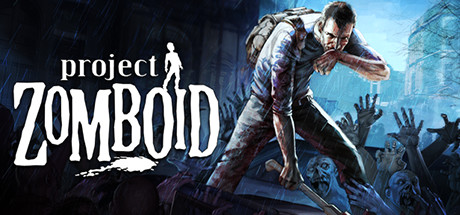
Project Zomboid has a Mac build, but it is Intel only, so on Apple Silicon it runs through Rosetta 2. It plays well, and because the game is written in Java with Lua mods, most Steam Workshop mods sync and load on the Mac version exactly as they do on Windows. One thing to keep in mind: macOS 27 is the last release with full Rosetta support, which we covered in our Rosetta post.
The mod everyone is talking about this autumn is Project A-Life, released on the Workshop in September for Build 42. It fills Knox County with NPC factions that scavenge, patrol, set ambushes, raid bases and come back for revenge after you beat them. The simulation keeps running when you are elsewhere on the map. The coverage I have seen does not say it uses a language model, so treat it as the first kind of AI mod: a big behaviour system rather than a chatbot. It is early, and the team recommends backing up your saves before trying it. I have not seen a confirmed report of it on the Mac build yet, so check the Workshop comments before you commit a long save to it.
Project Remnants is the generative option. It is an alpha NPC mod for Build 42 with recruitable survivors, safehouse jobs, needs like hunger and medical care, and optional AI conversations through a local Ollama model or any OpenAI compatible provider. The AI part is optional and the rest of the mod works without it. The problem for Mac owners is the install: it needs a Windows setup app to add a Java agent to the game. That step has no Mac equivalent today, so on the Mac build I would treat Remnants as not working until the author says otherwise.
RimWorld

RimWorld is the easiest game on this list for Mac owners. It has a native Apple Silicon build, and RimWorld mods are C# assemblies loaded by the game itself, so most of them run on macOS without changes.
RimTalk is the best known AI mod here. It builds a prompt from each colonist's current thoughts and actions, sends it to Google's Gemini, and shows the reply in a speech bubble above their head. You need a free API key from Google AI Studio and an internet connection, and it depends on the Interaction Bubbles mod. It supports RimWorld 1.5 and 1.6. Because the work happens on Google's servers, your Mac only has to run RimWorld, which makes this the lightest AI mod to try.
EchoColony takes a different approach: you select a colonist and open a conversation with them. Their replies draw on relationships and past events, and you can set each colonist's tone. It supports more than one AI model, with Gemini among them.
Stardew Valley

Stardew Valley runs on Apple Silicon through Rosetta, using the Intel Mac build on Steam. SMAPI, the mod loader almost every Stardew mod needs, supports macOS, so the usual mod setup works.
Social Valley adds AI conversations to villagers. Left click an NPC to chat freely and right click for their normal dialogue. Replies react to the weather, time of day, what you are wearing and what you are holding. It runs through Player2, a free companion app that provides the model. The mod page describes it as running locally. Player2's own pages do not clearly list macOS support, so confirm that the Player2 app installs on your Mac before you plan around this one.
Minecraft Java Edition
Minecraft Java Edition is native on Apple Silicon, and Java mods built for Fabric, Forge or NeoForge are platform independent, so mod support on a Mac is as good as on a PC.
Player2 AI NPC adds companions with bodies and inventories that mine, build, use tools and fight, and you give them orders in plain language through chat. It supports 1.20.1 to 1.20.6 and 1.21 to 1.21.1. As with Social Valley, it needs the Player2 desktop app, and the mod page lists no operating systems. The Minecraft side will run on your Mac without trouble. The open question is the companion app.
Skyrim Special Edition

Skyrim Special Edition has no Mac version. Our verdict is CrossOver, and it runs very well that way on Apple Silicon. Skyrim also has the most developed AI mod scene of any game, with three big options: Mantella, CHIM and SkyrimNet. All three let you speak or type to NPCs, and they differ in how they remember. Mantella keeps an editable text summary per NPC. CHIM adds an AI narrator and companions whose personalities shift. SkyrimNet gives each NPC a private memory that fades over time and only lets them react to what they could plausibly see or hear.
All three depend on SKSE, the Skyrim Script Extender. Community Mac guides on Nexus run SKSE and SKSE plugins inside a CrossOver bottle, launching through skse64_loader.exe. There is also a new unofficial open source installer, SkyrimMT, which sets up Skyrim on Apple Silicon through Wine with DXMT, can launch with SKSE, and includes a mod manager. Like any Wine based route, it needs your own Steam copy.
That gets the game and SKSE running. The AI mods add another layer. SkyrimNet is a single SKSE plugin with no separate programs, so it is the most likely to behave in a CrossOver bottle. Mantella runs as a separate Windows program alongside the game, and CHIM needs its own server application, so both would have to run in the same bottle with their speech tools. I have not seen a confirmed working report of any of the three on a Mac. If you try, start with SkyrimNet and a cloud model, so CrossOver only has to handle the game, the plugin and text to speech.
Streaming is not a shortcut here. Cloud services that carry Skyrim only allow their in game Creations menu, not SKSE mods.
Fallout 4

Fallout 4 is also a CrossOver game on Mac, and Mantella supports it with its own install guide. Everything I said about Skyrim applies: the script extender and the separate Mantella program both need to work inside the bottle, and nobody I have found has documented it on a Mac yet. GeForce NOW does not support mods, so streaming is out for this too.
Mount & Blade II: Bannerlord

Mount & Blade II: Bannerlord runs well through CrossOver, both single player and multiplayer. It was home to one of the first AI dialogue mods, Inworld Calradia, back in March 2023, which let you hold free conversations with townsfolk using Inworld AI. That mod is now old and tied to a third party service, so I would not expect it to work with the current game without checking the Nexus page first.
A few rules before you install anything
Keep AI mods to single player. Almost every mod above is built for solo play anyway, and adding injected code or helper programs to an online game risks your account. Never use mods that hook into a game with anti-cheat, and never try to get round anti-cheat to make a mod work.
Download from the Steam Workshop, Nexus Mods, CurseForge, Modrinth or the author's GitHub. AI mods are popular enough to attract fake "AI mod" downloads, so be suspicious of anything that asks you to run an unsigned app from a random site.
If you use a cloud model, set a spending limit with the provider. A chatty colony or a long Skyrim session can send thousands of requests.
Where to start on a Mac
If you want to try an AI mod tonight, start with RimTalk in RimWorld. The game is native, the mod is a normal Workshop subscription, and the model runs on Google's servers, so there is almost nothing to go wrong. For Project Zomboid, Project A-Life is the one to watch, but back up your save first and check that Mac players have it working on Build 42. Skyrim and Fallout 4 have the best AI mods but the hardest Mac route, so treat them as a weekend project in CrossOver rather than something to set up in ten minutes.