CrossOver
One-click local install, official support.
Difficulty: MediumCost: $74 one-time / $39/yearExcellent
RPG · 2008
Plays smoothly through CrossOver on Apple Silicon.
Overall rating: Not enough votes yet
Plays smoothly through CrossOver on Apple Silicon.
We'll measure your download speed and read what your browser will share, then re-rank the methods for you. Takes ~3 seconds.
CrossOver runs The Witcher: Enhanced Edition natively on Apple Silicon by translating DirectX to Metal. One-click install, no Windows VM, full local performance.
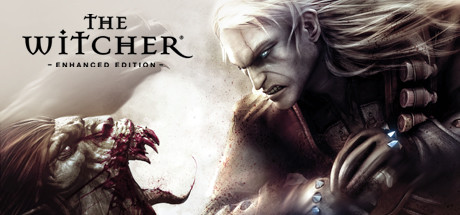
Play as Geralt of Rivia, a monster hunter for hire, in this mature-themed RPG. Explore a dark fantasy world filled with morally ambiguous choices and engaging combat.
The original game runs perfectly with compatibility layers and is often playable with compatibility layers.
“An astounding achievement in interactive entertainment, and one of the best games of this generation.”
“A spectacular, sprawling adventure through a beautifully realized world, overflowing with things to see and do.”
“Polished, ambitious and brilliantly designed — the kind of game you keep thinking about long after you stop playing.”
What each M-series Mac can realistically handle. Tap any chip to report your experience.
The original game runs perfectly with CrossOver and is often playable with GPTK.
Here are all the options available, ranked by what we recommend first.
One-click local install, official support.
Highest local FPS for tinkerers.
Free option built on Game Porting Toolkit.
How each supported method stacks up on setup effort, time and runtime overhead.
Checking which partner stores stock this game…
Loading per-platform notes…
Idiot-proof walkthroughs for every method.
Running The Witcher: Enhanced Edition through CrossOver translates the game's Windows DirectX calls into Metal on the fly. Performance is impressively close to a native Windows PC on Apple Silicon, and you stay entirely inside macOS — no VM, no rebooting. Expect to spend 10–20 minutes on first-time setup.
Running The Witcher: Enhanced Edition through Game Porting Toolkit translates the game's Windows DirectX calls into Metal on the fly. Performance is impressively close to a native Windows PC on Apple Silicon, and you stay entirely inside macOS — no VM, no rebooting. Expect to spend 10–20 minutes on first-time setup.
/bin/bash -c "$(curl -fsSL https://raw.githubusercontent.com/Homebrew/install/HEAD/install.sh)".brew tap apple/apple http://github.com/apple/homebrew-apple then brew install game-porting-toolkit.gameportingtoolkit.Running The Witcher: Enhanced Edition through Whisky translates the game's Windows DirectX calls into Metal on the fly. Performance is impressively close to a native Windows PC on Apple Silicon, and you stay entirely inside macOS — no VM, no rebooting. Expect to spend 10–20 minutes on first-time setup.
For most Mac players we recommend CrossOver as the fastest, smoothest way to play The Witcher: Enhanced Edition. One-click local install, official support.
| Method | Quality | Difficulty | Cost |
|---|---|---|---|
| CrossOverPick | Excellent | Medium | $74 one-time / $39/year |
| Game Porting Toolkit | Good | Advanced | Free |
| Whisky | Playable | Medium | Free |
Share what worked for you running The Witcher: Enhanced Edition on Mac.
Loading comments…